kelvinluck.com

a stroke of luck

Second steps with Flash 10 audio programming

A while back I did some experimenting with the new Flash 10 audio features. Since then I’ve received a couple of emails from people who have noticed that the flash player can freeze up when the mp3 file is initially extracted with the Sound.extract command – especially with longer mp3 files.

The solution is to simply extract only as much of the sound as you need to work with on each sampleData callback. However, this can get confusing when you combine it with the speed changing code from my first example. So I’ve put together another example which uses this method:
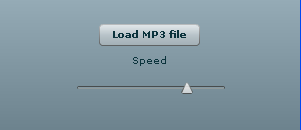
The code is available for download here or you can see it below:

package com.kelvinluck.audio
{
   import flash.events.Event;
   import flash.events.SampleDataEvent;
   import flash.media.Sound;
   import flash.media.SoundChannel;
   import flash.net.URLRequest;
   import flash.utils.ByteArray;    

   /**
    * @author Kelvin Luck
    */

   public class MP3Player
   {
     
      public static const BYTES_PER_CALLBACK:int = 4096; // Should be >= 2048 && < = 8192

      private var _playbackSpeed:Number = 1;

      public function set playbackSpeed(value:Number):void
      {
         if (value < 0) {
            throw new Error('Playback speed must be positive!');
         }
         _playbackSpeed = value;
      }

      private var _mp3:Sound;
      private var _dynamicSound:Sound;
      private var _channel:SoundChannel;

      private var _phase:Number;
      private var _numSamples:int;

      public function MP3Player()
      {
      }

      public function loadAndPlay(request:URLRequest):void
      {
         _mp3 = new Sound();
         _mp3.addEventListener(Event.COMPLETE, mp3Complete);
         _mp3.load(request);
      }

      public function playLoadedSound(s:Sound):void
      {
         _mp3 = s;
         play();
      }
     
      public function stop():void
      {
         if (_dynamicSound) {
            _dynamicSound.removeEventListener(SampleDataEvent.SAMPLE_DATA, onSampleData);
            _channel.removeEventListener(Event.SOUND_COMPLETE, onSoundFinished);
            _dynamicSound = null;
            _channel = null;
         }
      }

      private function mp3Complete(event:Event):void
      {
         play();
      }

      private function play():void
      {
         stop();
         _dynamicSound = new Sound();
         _dynamicSound.addEventListener(SampleDataEvent.SAMPLE_DATA, onSampleData);
         
         _numSamples = int(_mp3.length * 44.1);
         
         _phase = 0;
         _channel = _dynamicSound.play();
         _channel.addEventListener(Event.SOUND_COMPLETE, onSoundFinished);
      }
     
      private function onSoundFinished(event:Event):void
      {
         _channel.removeEventListener(Event.SOUND_COMPLETE, onSoundFinished);
         _channel = _dynamicSound.play();
         _channel.addEventListener(Event.SOUND_COMPLETE, onSoundFinished);
      }

      private function onSampleData( event:SampleDataEvent ):void
      {
         var l:Number;
         var r:Number;
         var p:int;
         
         
         var loadedSamples:ByteArray = new ByteArray();
         var startPosition:int = int(_phase);
         _mp3.extract(loadedSamples, BYTES_PER_CALLBACK * _playbackSpeed, startPosition);
         loadedSamples.position = 0;
         
         while (loadedSamples.bytesAvailable > 0) {
           
            p = int(_phase - startPosition) * 8;
           
            if (p < loadedSamples.length - 8 && event.data.length <= BYTES_PER_CALLBACK * 8) {
               
               loadedSamples.position = p;
               
               l = loadedSamples.readFloat();
               r = loadedSamples.readFloat();
           
               event.data.writeFloat(l);
               event.data.writeFloat(r);
               
            } else {
               loadedSamples.position = loadedSamples.length;
            }
           
            _phase += _playbackSpeed;
           
            // loop
            if (_phase >= _numSamples) {
               _phase -= _numSamples;
               break;
            }
         }
      }
   }
}

You can compare it to the code in the original post to see the changes I made.

One thing to note is that there is still a delay when you load an MP3 in my example. This is because I am using the same FileReference.browse > Sound object hack as last time and this needs to loop over the entire loaded mp3 file while turning it into a Sound object. This wouldn’t be an issue in most use-cases where you have loaded the sound through Sound.load.

I also removed the option of playing the sound backwards in this example as that would have added further complexity to the code and hurt my head even more!

35 Comments, Comment or Ping

  1. brownlittle

    1.
    G thanks :)

    2.
    you calculate:
    _numSamples = int(_mp3.length * 44.1);

    on each sample-event - so it is pretty lousy for memory..

    just do it once on the constructor (or the loadComplete handler..)

    3.
    another thanks..

    April 5th, 2009

  2. Hi,

    1.
    No worries :)

    2.
    Hmmm - no I don't! That line is in the play() method which is only called once - when the sound has completed loading... The onSampleData method is called on each SampleDataEvent... Also, calculating that number each time wouldn't effect memory usage, it would however be (slightly) detrimental to performance...

    But... Thanks for making me look at the code again... I just noticed that there was some redundant code in the playLoadedSound function which was slowing things down lots (I'd forgotten to remove the code which extracted the whole sound up-front). I've updated the code above and in the zip file. If you want to compare it to the broken code that was first on this post, that is still available here. The delay when you load an mp3 file is now very much reduced!

    3.
    No worries :) Thanks for making me look again and notice my glaring error!

    April 5th, 2009

  3. days

    I use this class for play 32000Hz sound ,the speed is too fast.

    April 6th, 2009

  4. Hi Days,

    I'm not sure of the solution for you. Did you try changing this line:

    _numSamples = int(_mp3.length * 44.1);

    To be * 32 instead?

    The Adobe docs state: "The audio data is always exposed as 44100 Hz Stereo" so I guess it should already be 44.1kHz by the time it's extracted...

    Hope that helps,

    Kelvin :)

    April 6th, 2009

  5. Daniel

    Hi Kelvin,

    Is it possible to slow down the playback without changing the pitch?

    Cheers

    April 22nd, 2009

  6. Hey Daniel,

    This is possible - but not without changing the code quite a bit. What you are after is called "time stretching" and is fairly complex to achieve. I did some research into it a while back but I never got around to implementing it in flash... If you google timestretching you should be able to find descriptions of the algorithms and some opensource code (in c and maybe java) - hopefully that will help.

    Good luck!

    Kelvin :)

    April 22nd, 2009

  7. Chris Marvel

    Hey Kelvin:

    This is suprer. I am working on an application that needs to vary the playback speed of an mp3 file but keep the pitch constant. Since I don't deal with mp3 everyday, I am really clueless on how to accomplish this. Do you have any thought you could pass along? Thanks

    Chris

    April 27th, 2009

  8. Hi Chris,

    You also need "time stretching" - see the comment directly above yours.

    Cheers,

    Kelvin :)

    April 28th, 2009

  9. Hi Kelvin. Your article has inspired the sound of my new flash game !
    I have a motor loop sound of 2 seconds.
    Using your class the loop never re-start because this conditional is never called:

    if (phase >= numSamples) {
    phase -= numSamples;
    break;
    }

    When I trace the phase and numSamples, the last result is this:
    91008, 92160

    So I needed to add a line in your "onSoundFinished" method, to restart the phase.

    private function OnSoundFinished(event:Event):void
    {
    phase = 0; channel.removeEventListener(Event.SOUND_COMPLETE, OnSoundFinished);
    channel = dynamicSound.play();
    channel.addEventListener(Event.SOUND_COMPLETE, OnSoundFinished);
    }

    It works that way, but I want to ask you if I´m doing anything wrong. Maybe the sound file has any problem? (it´s a 44100 hz mp3)

    May 4th, 2009

  10. Hi Xleon,

    Sorry for the slow reply...

    That's strange that I haven't run into that problem. Maybe it's to do with the specific length of your mp3 file? I've tried with a number of mp3 files and never had any problems... A 44.1 KHz mp3 should work fine...

    Maybe you can email me your mp3 file and I'll test at my end?

    May 17th, 2009

  11. Rick Willett

    Kevin,

    I believe you had code for working with mp3 and cue points. I can't seem to find it, can you bring it back?

    June 12th, 2009

  12. Hi Rick,

    I'm afraid I'm not sure what you are talking about! It must have been someone else who had the code you are looking for?

    June 12th, 2009

  13. brother of god

    hello kevin,
    is it possible to make your App to work with an ogg file format ?

    chears !
    :)

    July 4th, 2009

  14. Hi,

    Unfortunately it won't work with the ogg file format as flash doesn't support it natively. This link may help you out though:

    http://barelyfocused.net/blog/2008/10/03/flash-vorbis-player/

    Cheers,

    Kelvin :)

    July 5th, 2009

  15. bechar

    Hi Kelvin,

    sorry for bother you again,

    like row sound we put buffer, like this
    buffer = new SoundLoaderContext(65000);
    _loop_snd = new Sound(new URLRequest(_mp3), buffer);

    how can i put buffer in dynamic sound..as per your code where i can put buffer in below code..

    any suggestion,

    _dynamicSound = new Sound(); _dynamicSound.addEventListener(SampleDataEvent.SAMPLE_DATA, onSampleData);

    thanks in advance, waiting for your reply..

    July 14th, 2009

  16. HI,

    The buffer would make no sense in the context of my code because my code loads the entire mp3 before beginning the playback. I haven't investigated if it's possible to work with an incompletely loaded mp3 but I guess you could if you listen to the progress events as it loads and implement your own logic for tracking how much of the sound has loaded etc. It's not trivial though...

    Hope that helps,

    Kelvin :)

    July 15th, 2009

  17. bechar

    Hi Kelvin

    Thanks for the prompt reply,
    i already wrote some logic of play buffered mp3 with dynamic sound, but in that one problem is occur if mp3 files bytes loaded 5000 and my trackBarKnob reach at 5000 bytes and again for downloading bytes it's take some seconds in that time it's play song from stating.(if Internet connection is very slow than this problem occurs).

    Sorry for my the English, hope you understand

    Thanks
    Bechar

    July 16th, 2009

  18. Hi Bechar,

    It sounds like one of two things is going wrong. Either the Event.SOUND_COMPLETE is firing when the buffer is empty (and this would cause the sound to loop). Or the calculation of _numSamples is incorrect because the .length of the mp3 isn't correct until the mp3 is fully loaded. To start debugging you will first need to figure out which of these things is causing the problem,

    Hope that helps,

    Kelvin :)

    July 19th, 2009

  19. bechar

    Hi Kelvin,

    Thanks for your reply, i will try for the same you explaine in the blog and let you know, how it's figure it out, thanks for your support.

    Thanks
    Bechar Kanjariya

    July 20th, 2009

  20. Hi there!

    I've been trying to understand what's been said in the last few comments to figure out if they relate to my question, but I'm still not sure.

    I have a question about the inital playback of a sound when using sampleDataEvent.

    Let me explain..

    I've started developing games for flash. I made this game, for example:
    http://www.kongregate.com/games/TackleMcClean/memory-mayhem
    A somewhat simple card matching game, but I've strived for perfection in it. One huge pain was handling audio. During development I had sessions where I would click the cards, and they would play the "card folding" sound. Problem was that it was off, timewise. If I clicked two cards quickly after each other, the first sound was delayed, but the second was usually spot on.

    This led to some extensive testing on my end:

    Using setInterval on a function that simply plays a short sound gave VERY unpleasant results. It is VERY uneven and jumps back and forth in time, usually ending up in a "shuffling" (in drumming) kind of playback.

    Comparing this to just calling play() and having it loop (with the second parameter), it's night and day. Looping by play() is supertight.

    Today I finally got around testing things with your approach, MINUS the time-control. Just play a sound and then loop back. So in essence, reinvent the wheel that is the play function, or at least complicating it. I didn't give me anything tangible other than more understanding on how the sound playback works in flash.
    The results were that if I looped the sound when playing back by writing directly to the data of the SampleDataEvent, it was silky smooth just like the play() looping. Kind of expected.

    EXCEPT... it was NOT smooth just when the looping started. It makes a short stuttering.
    So here's the question:

    Do you know any way to put a very short sound in a buffer so it can be instantly played?

    If that could be achieved, then having a custom play method that plays a sound using that method, should theoretically survive being used by the setInterval method. If it doesn't, it doesn't really matter since the main application for this is game development use.

    I've seen this issue coming and going but never solved. People having trouble with simple interfaces; a sound plays when mouse rolls over a button for example, but it doesn't sync up with that the user is actually doing on screen (not until the second time the sound plays at least).

    It would be of great use, and if you have just the littlest bit of insight that could push me in the right direction I'll whip up something easy to understand for the average joe and post wherever people have the problem :D

    If you've read this whole message then you deserve a beer.

    July 21st, 2009

  21. Hi Karl,

    Wow - that's a coincidence! Last year I wrote a game called Multiplayer Memory Mayhem!

    http://www.kelvinluck.com/2008/10/new-multiplayer-papervision-game/

    Re. delays in triggering sounds for interface variations, I can't say I have ever run into this problem. I presume that you are calling load on the sound up front and then just calling play when your UI interaction happens? And there is a delay first time it's played? You could maybe play it once with the volume set to 0 after loading it (if it is always the first time that causes problems). Then the first time the UI triggered it it would already have played once so would come quicker?

    Alternatively you could have a sound constantly playing with a SampleDataEvent callback like my examples above. You would fill the data with zeros (for silence) until the UI interaction happened and then that could set a flag to use something other than zeros. Does that make sense? Then there would be no "startup" delay cos the sound would already be playing...

    Hope that helps,

    Kelvin :)

    July 30th, 2009

  22. Hey Kelvin!
    I've even been to your blog before sometimes, but I didn't know you made that game.

    Last week I was googling to see if I could find my own game (which btw is taken off from Kongregate.com at the moment due to upcoming licensing and whatnot).

    I found your game then, and I was thinking about making a multiplayer version of my game, which I would incidentally call "Multiplayer Memory Mayhem". I suppose we both chose a name that should appease to the public :)

    What's even more fun is that I remember reading your blog post about the game and looking at the 3d transitions for the score, but I took no (concious, at least) note of the name of the game.

    Anyways,
    to best see the problem, have a setInterval run a play() continously. It will be uneven, and considering my previous conclusions, the first time the sound plays will always be VERY off.

    I think your idea with constantly playing silence would be something that could work. I just wonder how taxing it would be on performance to constantly do that. I guess it shouldn't be a big deal, really.

    The idea with playing it once with 0 volume would solve the problem in one aspect, but not the most important: the sound needs to play immediately when you click a card.

    I'll have to look into the silent play concept.
    Thanks!

    July 30th, 2009

  23. bechar

    Hi Kelvin,

    If i load .mp3 file with mono sound, why mp3 not playing in your Second steps with Flash 10 audio programming tutorial any idea? also i check that extrace() method in AS3.0 (The audio data is always exposed as 44100 Hz Stereo), can you give me more information on a same.

    Thanks for help...

    August 13th, 2009

  24. Hi Bechar,

    The code assumes your sound is stereo and tries to load data from both channels. You could try commenting one channel out (e.g. comment out the "r" lines like so:

    l = loadedSamples.readFloat();
    //r = loadedSamples.readFloat();

    event.data.writeFloat(l);
    //event.data.writeFloat(r);

    ). I haven't tried this but it may help you,

    Cheers,

    Kelvin :)

    August 17th, 2009

  25. Hi is there any way to use this with streaming audio.

    im working on

    http://www.rub.fm/mixer/mixer.html

    it would be really nice to incorporate this feature.

    October 28th, 2009

  26. verbi

    great..
    never know flash can do thing like that
    thanks

    January 2nd, 2010

  27. Hi Kelvin

    First of all - this is really nice, thank you for this great example!!

    I need to play the mp3 in reverse... Can you help me on this?? All my songs are the same length (30 sec) so it doesn't have to be dynamic. I have tried to compare your code with the old one - but no luck in any solutions yet...

    Thanks...:)
    Jonas

    January 3rd, 2010

  28. Hi,

    @David - yes, I believe it will work fine but you will need to be careful not to go beyond the amount of audio that has actually loaded... There may also be other issues with implementation (and sorry for the slow reply!)

    @Jonas - yes. With my old example:

    http://www.kelvinluck.com/2008/11/first-steps-with-flash-10-audio-programming/

    You can set a negative speed and the mp3 will play backwards. With 30 second songs you should be fine to fully parse the mp3s upfront as I did in that example,

    Cheers,

    Kelvin :)

    January 3rd, 2010

  29. Hi Kelvin - Your old example works like a charm for me now :)
    I had a little problem with the sound kind of lacking sometimes, but then
    I increased the output buffer to 4096 instead of 2048, and in that way I got rid of the problem!

    Thank you :)

    January 4th, 2010

  30. Don

    Hi Kevin,

    Elegant.

    But I can't seem to get my mp3 to loop without a pause.
    It's very short and would not loop at all unless I reset _phase to 0 in onSoundFinished.

    I have not used the bytearray before but once the array is loaded I can't see why it should pause.

    Anyone else have this problem.?

    Thanks.

    January 7th, 2010

  31. Hi Don,

    It is a common problem that mp3 files have small gaps added to the beginning/ end of them when they are created:

    http://www.kirupa.com/forum/showthread.php?t=299065

    Some detailed notes on a possible workaround (that I have never tried):

    http://www.compuphase.com/mp3/mp3loops.htm

    You could also skip over any silent samples at the start of the mp3 and not push them to the SampleDataEvent.

    Hope that helps,

    Kelvin :)

    January 8th, 2010

  32. Carin

    Hi Kevin,

    Thanks for the code!

    It works great when I play my sound file from end-to-end, but I can’t achieve jumping into a certain moment of my sound anymore.

    How to jump to a certain sound moment with your code?

    I only need to play a certain part of a longer sound file (I have the start-point and duration in milliseconds), and need to be able to jump to anywhere in the sound by sliding my seekbar’s (sound time line’s) thumb.

    I could handle this time-jumping fine before I implemented your code, by passing the current sound position onto the sound channel: channel = snd.play(vCurrentPosition);

    After implementing your code, I changed my snippet to : channel = outputSnd.play(vCurrentPosition);

    And I tried everything to influence the starting point of the ‘extract’ method, so that ‘outputSnd’ will play the correct sound snippet (I tried e.g. calculating and passing new ‘soundphase’ or ‘bytes’ values), but nothing works, and the sound always (re-)starts playing form the start of the long mp3 sound file, ignoring all position code.

    I’m sure there’s a simple solution, but I’ve tried for days now, and can’t find it.

    I hope you can help out?

    Thanks,

    Carin.

    January 22nd, 2010

  33. Carin

    Hi again,

    I achieved jumping anywhere in the sound, while playing it at any playback speed (from 0 upwards) , with these 2 solutions:

    1. Pass the new position on in a variable other than your ‘_phase‘ or ‘startPosition’
    2. Calculate the new position from a certain moment in seconds, like this: vSoundPosition = (tSeconds * 1000 * 44.1) - 4096;

    Here is some of the new code:

    // When snd (the input-sound) is completely loaded,
    // calculate its sound-length and last bytes-array position
    // and start playing outputSnd (the output-sound):
    function onComplete(e:Event):void{
    vFileDuration = snd.length/1000;
    vFileMaxBytes = (vFileDuration * 1000 * 44.1) - 4096;
    outputSnd.play();
    }

    // Calculate vSoundPosition (a new position in the bytes-array),
    // from a certain sound-position in seconds:
    function jumpToPosition(tSeconds:Number){
    vSoundPosition = (tSeconds * 1000 * 44.1) - 4096;
    }

    // Start extracting at vSoundPosition (a new position in the bytes-array),
    // move that position up while playing, according to vSoundSpeed (the speed)
    // and re-start from the beginning when you reach the end:
    function onData(event:SampleDataEvent):void{
    var l:Number;
    var r:Number;
    var p:int;

    var bytes:ByteArray = new ByteArray();
    var startPosition:int = int(vPhase);
    snd.extract(bytes, (vBytesPerCallback * vSoundSpeed), vSoundPosition);

    bytes.position = 0;
    while (bytes.bytesAvailable > 0) {

    p = int(vPhase - startPosition) * 8;
    if (p < bytes.length - 8 && event.data.length <= vBytesPerCallback * 8) {
    bytes.position = p;
    l = bytes.readFloat();
    r = bytes.readFloat();
    event.data.writeFloat(l);
    event.data.writeFloat(r);
    } else {
    bytes.position = bytes.length;
    }
    vPhase += vSoundSpeed;
    }

    vSoundPosition += vBytesPerCallback * vSoundSpeed;
    if(vSoundPosition vFileMaxBytes){
    vSoundPosition = 0;
    vPhase = 0;
    }
    }
    }

    Carin.

    January 24th, 2010

  34. name

    How can I record the spectrum sound and then play again?

    I have this inside a function:

    SoundMixer.computeSpectrum(_bytes, false, 0);

    _bytesGrabacion.writeBytes(_bytes, 0, Math.min(_bytesGrabacion.bytesAvailable, 8 * 8192));
    }

    February 24th, 2010

Reply to “Second steps with Flash 10 audio programming”