kelvinluck.com

a stroke of luck

Not my mother’s javascript!

Last week Google launched Chrome Experiments – a set of javascript experiments – to spread the word about their browser, Chrome. One of the major selling points of Chrome (can something free have selling points?) is V8 – it’s new and optimised javascript engine. I guess the idea is that by sponsoring a site of cool experimental stuff they can virally drive people to download and play with their product. And it worked on me! When some of the experiments ran a bit jerkily on my Firefox I decided to download it and give it a go.

Most of the javascript I write is fairly serious with a strong requirement for cross browser compatibility and graceful degradation, but the experiments inspired me. Having recently had some fun with tweetcoding (where you ignore every type of best practise to squeeze “something cool” out of 140 characters of actionscript 3) I felt like trying the same sort of thing with javascript.

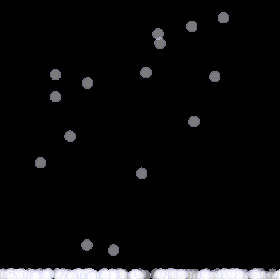
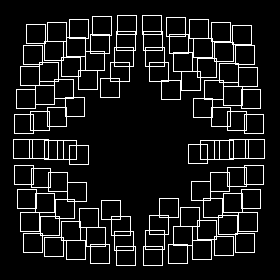
For my first attempt I ported my first ever as3 experiment. Click on the image below to try “boingPic” which will split an image of your choice into 100 squares each of which is scared of the mouse (or view it in it’s own window if you want to boing larger images).
boingpic

Then I was reading an interview with Toxi about the creation of Social Collider (one of the chrome experiments). In it he mentioned Raphaël – a javascript library which uses the SVG W3C Recommendation and VML as a base for generating vector graphics.

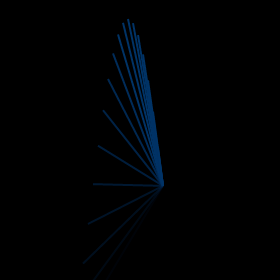
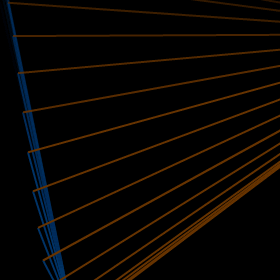
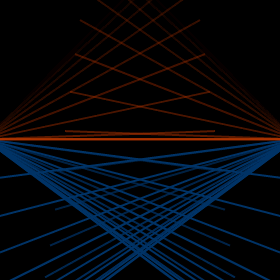
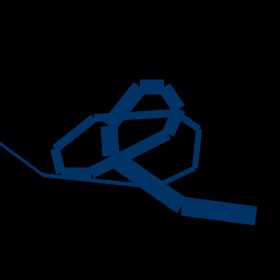
I decided to check it out and found out that it’s a really great library which gave me the freedom to easily experiment with graphical stuff in javascript. I had loads of fun playing around with it – you can see some of my experiments below. They do appear to run best in Chrome so I’d recommend using that (looks like google’s ploy is working!) or at least Safari (FF doesn’t seem to render the width of paths but webkit does). [Thanks to Dmitri for pointing out the error in my code, it now works in FF too]

  • test3
  • test6
  • test7
  • test8
  • test12
  • test13
  • test17
  • test18
  • test19
  • test20

Most of my experiments were inspired by my previous tweetcoding entries. Feel free to view source on any of them to see how they are done – there is nothing at all complex going on. Big thanks to all of the chrome experiments for getting me to start playing with this and to Raphaël for the vector js goodness – I’m hoping to find more time to do some more complex experiments in the future!

20 Comments, Comment or Ping

  1. Jamie

    Clever boy!

    March 24th, 2009

  2. Try to use "stroke-width" instead of "strokeWidth". This should fix FF problem.

    March 25th, 2009

  3. Thanks Dmitry - that fixed it. And thanks again for Raphael - it's very cool :D

    March 25th, 2009

  4. Casey Becking

    If you hit the 'Load' button with no image being loaded you get a very weird error where the default block gets smaller ... Check it out :)

    Running FF 3.0.8 , mac osX 10.5.6

    March 31st, 2009

  5. Yeah - I noticed that when I was developing it and I decided I quite liked it so I left it in! You can still play with the blocks when they are all overlaid in a little square in the middle :)

    March 31st, 2009

  6. This is totally INSANE!! I love it

    May 12th, 2009

  7. Oscar

    Hi Kelvin,

    Have you tried using Raphael in Adobe AIR? Does Raphael work seamlessly with it? Any tips, pitfalls, challenges, issues?

    Thanks!

    July 19th, 2009

  8. Hi Oscar,

    I haven't tried using Raphael in Adobe AIR but I don't see any reason why it wouldn't work... AIR embeds a recent webkit browser and Raphael works great in Safari and Chrome so it should also work in AIR. The only thing I'm aware of with AIR is a restriction on eval in JS but I just had a quick look and I don't see any eval's in raphael.js...

    Hope that helps,

    Kelvin :)

    July 19th, 2009

  9. Oscar

    Hi Kelvin,

    Wow! Thanks for responding so fast to my post!

    I tried just a while ago to run the "Graffle" sample app from the Raphael website in Adobe AIR and encountered an error on line 2137 of the un-minified version of Raphael.js. The error:

    "Can't find variable: Raphael"

    The line is:

    doc.createStyleSheet().addRule(".rvml", "behavior:url(#default#VML)");

    I was looking for occurrences of "default" and "VML" but can't figure it out. It also seems to me, on first glance, that "VML" is not being initialized the usual way in Raphael.js.

    Any take on this?

    Thanks,
    Oscar

    July 19th, 2009

  10. Oscar

    Hi Kelvin,

    Btw, I happened to take a look at the Sharify website. I think it's one cool site whose time has come.

    I'm in the pre-alpha phase of an application I'm developing for commercial distribution. I definitely will join Sharify.com for its distribution when its ready for release.

    Thanks for developing this website.

    ~Oscar

    July 19th, 2009

  11. Hey Oscar,

    Hmm - are you sure that the raphael.js file is being loaded correctly? Other than that I'm afraid I don't have any ideas - the Raphael mailing list might be a better place to ask...

    And thanks for the kind words about Sharify - although the URL is http://www.sharify.it - not .com!

    Cheers,

    Kelvin :)

    July 19th, 2009

  12. Oscar

    HI Kelvin,

    Oh yeah, I've bookmarked Sharify earlier. Wouldn't you want to buy the .com name as well? It's more, err... "intuitive". :-)

    I'm using the 'graffle.html' file as-is, and all the files are referenced correctly. But yes, I'll post in the Raphael Google group about it.

    Thanks Kelvin!

    ~Oscar

    July 19th, 2009

  13. Oscar

    Btw, I read this just a while ago. You might want to read ReadWriteWeb's take on the future of Adobe AIR here:

    http://www.readwriteweb.com/archives/weekly_wrapup_apple_app_store_stats_the_state_of_adobe_air.php

    ~Oscar

    July 19th, 2009

  14. Hi Oscar,

    Unfortunately the .com wasn't available. http://www.sharifyit.com will redirect to the sharify.it site though.

    Re. the readwriteweb article, I think they have missed the point to a certain extent - the comments make more interesting reading than the article. Sure, some AIR apps could be built in a browser but there definitely are things that AIR can do that a browser can't and I think more and more examples of these kind of apps will be seen in the future. Here's another interesting article from the comments to that article which goes over some of the functionality available to an AIR app which isn't available within a web browser: http://funkatron.com/site/comments/air-titanium-and-webos-10-things-you-cant-do-in-a-browser/

    Good luck with the Raphael problem,

    Cheers,

    Kelvin :)

    July 19th, 2009

Reply to “Not my mother’s javascript!”