As I was reading my RSS feeds yesterday I came across a blog post by Andre Michelle where he released some sourcecode for using the new Sound APIs in Flash Player 10. I had a little spare time so I decided to finally set up FDT to allow me to author flash 10 swfs (which was easier than I expected) so I could do some playing.
The idea was to re-create my wave sequencer experiment using the APIs but to get started I did something simpler. I wrote a little class which allows you to load an MP3 file and play it back with the ability to change the playback speed dynamically. Here it is:
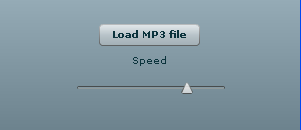
You can see the sourcecode for the relevant file below. The interesting stuff from an audio point of view is happening in the onSampleData callback. This is triggered by the Flash player whenever it needs a new buffer of audio samples to play. The code in that function is commented and hopefully pretty self explanatory. It is derived from code in my old wave sequencer experiment which was itself derived from some code in the popforge library.
{
import flash.events.Event;
import flash.events.SampleDataEvent;
import flash.media.Sound;
import flash.net.URLRequest;
import flash.utils.ByteArray;
/**
* @author Kelvin Luck
*/
public class MP3Player
{
private var _playbackSpeed:Number = 1;
public function set playbackSpeed(value:Number):void
{
_playbackSpeed = value;
}
private var _mp3:Sound;
private var _loadedMP3Samples:ByteArray;
private var _dynamicSound:Sound;
private var _phase:Number;
private var _numSamples:int;
public function MP3Player()
{
}
public function loadAndPlay(request:URLRequest):void
{
_mp3 = new Sound();
_mp3.addEventListener(Event.COMPLETE, mp3Complete);
_mp3.load(request);
}
public function playLoadedSound(s:Sound):void
{
var bytes:ByteArray = new ByteArray();
s.extract(bytes, int(s.length * 44.1));
play(bytes);
}
public function stop():void
{
if (_dynamicSound) {
_dynamicSound.removeEventListener(SampleDataEvent.SAMPLE_DATA, onSampleData);
_dynamicSound = null;
}
}
private function mp3Complete(event:Event):void
{
playLoadedSound(_mp3);
}
private function play(bytes:ByteArray):void
{
stop();
_dynamicSound = new Sound();
_dynamicSound.addEventListener(SampleDataEvent.SAMPLE_DATA, onSampleData);
_loadedMP3Samples = bytes;
_numSamples = bytes.length / 8;
_phase = 0;
_dynamicSound.play();
}
private function onSampleData( event:SampleDataEvent ):void
{
var l:Number;
var r:Number;
var outputLength:int = 0;
while (outputLength < 2048) {
// until we have filled up enough output buffer
// move to the correct location in our loaded samples ByteArray
_loadedMP3Samples.position = int(_phase) * 8; // 4 bytes per float and two channels so the actual position in the ByteArray is a factor of 8 bigger than the phase
// read out the left and right channels at this position
l = _loadedMP3Samples.readFloat();
r = _loadedMP3Samples.readFloat();
// write the samples to our output buffer
event.data.writeFloat(l);
event.data.writeFloat(r);
outputLength++;
// advance the phase by the speed...
_phase += _playbackSpeed;
// and deal with looping (including looping back past the beginning when playing in reverse)
if (_phase < 0) {
_phase += _numSamples;
} else if (_phase >= _numSamples) {
_phase -= _numSamples;
}
}
}
}
}
As you can see, there are three public methods in the above class. loadAndPlay will load an mp3 file into a sound object and start playing it at the desired playbackSpeed. stop will stop the currently playing mp3. And playLoadedSound will start playing an already loaded sound object at the desired playbackSpeed. This is useful if you have already preloaded your sound objects but it is also useful for another important reason as you can see in the demo.
Thanks to some great work from an old friend of mine, it is possible to dynamically create a Sound object based on an MP3 loaded through the new FileReference.load() functionality in Flash 10. This is why in the demo you can browse for an mp3 file on your local machine which can then be dynamically controlled by Flash immediately without sending it to a server first.
You can download the complete FDT project of my demo here if you want to look through all of the code. I’m excited by the possibilities that are opening up in flash now that Adobe made some noise – I’ve got a long way to go before I can do anything nearly as incredible as the Hobnox audio tool but I’ve got some ideas and I’m looking forward to playing around with them :)
Update: Check out my follow on post where I examine how to extract the audio on demand rather than up front.

24 Comments, Comment or Ping
Great. Finally people are going to play with audio stuff. If you use linear interpolation, it wouldn't sound that noisy when the pitch is around zero.
November 23rd, 2008
Yeah - I'm definitely looking forward to playing around more with audio... Got some cool ideas... I'll look into linear interpolation too, just read up on it quickly and it doesn't sound too complex :)
November 24th, 2008
Hi Kelvin... nice to see you using my library. Now see if you can do the resampling with a ShaderJob and let me know how to do it.
Give me a shout next time you're kicking around in Brighton, and maybe we can finally sort out meeting up!
November 25th, 2008
Hey Spender :) Thanks for the library - does it's job perfectly...
Haven't played with pixel bender or shader jobs yet so probably won't be able to help you out... I was wondering if the new virtual memory stuff from Alchemy would help with stuff like this too... Seems like it optimises dealing with chunks of bytes... But you'd have to use C or haXe to access it for now...
I'll let you know when I'm next in Brighton but I'm in Canada until at least next summer so it won't be for a while... It's been 9 years - another 6 months won't make much difference!
November 28th, 2008
Hey Kelvin
i'm hoping you can help me with a game i'm making that i think requires pitch conrol.
i'm making a car racing game, and i think the best way to make a dynamic engine nosie would be to get the mid range rev engine sound and use a pitch control in relation to the car's speed to change how high or low the revs sound.
do you think this would be the best way to do it?
if so can you give me some tips or point me in the right direction?
of even better...do it for me? :D
Thanks
Andrew
March 29th, 2009
Hi Andrew,
That sound like a valid idea for creating the engine sound. Although you may be better off to synthesize the entire sound rather than starting from a recorded sound and changing the pitch. An engine sound is probably fairly easy to synthesize. You could have a look at some of Andre's old experiments (I can't find them now but I'm sure he has given source for simple waveform synths at conferences). Here's a possible example:
http://lab.andre-michelle.com/wavepole-synthesizer
Otherwise just load a mid-range engine sound into my app here and see how it sounds as you make it faster and slower. You'll have to figure out a way to make it loop cleanly though (or use a really long mp3 which the user will need to download).
I can't do it for you I'm afraid (unless you want to pay me and then I could prioritise it over other client work!) but hopefully those hints will help you,
Cheers,
Kelvin :)
March 30th, 2009
hey, you done great job.
can you tell me how to play my mp3 file with different starting point, i mean i have to play my mp3 file from 20 sec, can you give me any suggestion for that,
sorry for my English...
June 4th, 2009
i tried to change the position of sound like _dynamicSound.play(10000);, but it's not work(same like we change the position of row sound)
June 4th, 2009
Hi Bechar,
Try to replace this line:
_phase = 0;
With a different number. If you want it to start from 20 seconds then try an initial phase of 882 (20 seconds multiplied by 44.1 - the number of samples per second).
Hope that helps,
Kelvin :)
June 5th, 2009
Hi,
I tried to play with the code you given. It's working amazing :)
What is the problem here is, it takes too much time to extract the ByteArray from the loaded sound. Do you know why is that so?
Thanks,
Naresh
June 13th, 2009
Hi Naresh,
Did you look at my follow up post:
http://www.kelvinluck.com/2009/03/second-steps-with-flash-10-audio-programming/
In that I tackle exactly the problem you are describing...
Cheers,
Kelvin :)
June 13th, 2009
Hi Kelvin,
thanks for the quick reply
i succeed to play dynamic sound from particular position
_ dynamicSoundPosition = 10000 (what every you want to play from)
s.extract(bytes,int(s.length*44.1),_dynamicSoundPosition);
but i can you tell me how to do with same for progressive download (i.e. right now i am doing for after complete load mp3 file but i want to doing same in progressive download of my mp3 file).
thanks in advance
waiting for your reply :)
June 24th, 2009
Hi Kelvin,
sorry for bother you again,
like row sound we put buffer, like this
buffer = new SoundLoaderContext(65000);
_loop_snd = new Sound(new URLRequest(_mp3), buffer);
how can i put buffer in dynamic sound..as per your code where i can put buffer in below code..
any suggestion,
_dynamicSound = new Sound(); _dynamicSound.addEventListener(SampleDataEvent.SAMPLE_DATA, onSampleData);
thanks in advance, waiting for your reply..
July 14th, 2009
Hi,
I just answered your question on the other post where you asked exactly the same question!
http://www.kelvinluck.com/2009/03/second-steps-with-flash-10-audio-programming/#comments
Cheers,
Kelvin.
July 15th, 2009
Hi,
I liked your idea so I wanted to use it to play sound that I get from the db. The problem is with the starting point for the sound. It plays sounds beginning from about 2nd second of the sound. The beginning is missing. Do you have any idea what is wrong with it? Sound quality and speed are OK.
I was thinking about checking the starting point but I don't know how I can do it. Can you help?
Chris
August 14th, 2009
Hi Chris,
I haven't come across this. Is the file being delivered from the database the complete mp3? Does it play properly if you do a normal Sound.load on it? Did you try with the code from my follow on post (see update above)?
Cheers,
Kelvin :)
August 17th, 2009
Hi Kelvin,
shell we do same thing like modify our sound when we play sound via RTMP URL or any other way?
waiting your reply...
Thanks
Bechar Kanjariya
August 25th, 2009
Hi Bechar,
I don't know. If you get a Sound object when you play sound via RTMP then you should be able to use this technique. If it's a different kind of object then probably not...
Hope it helps,
Kelvin :)
August 26th, 2009
Hi Kelvin,
great work. very interesting.
I have small samples of mp3 files playing in sequence.
I need to mixdown them (export a whole mp3 or other, with all the sequence) to the client.
Have you tried to do this? any clue?
Thank you in advance.
Evandro
October 28th, 2009
Very useful stuff. I'm currently working on implementing this into my custom SoundManager class as well as my AdvancedSound class. Once implemented I should be able to achieve this effect individually among all sounds in my projects, rather than having it set up to just effect a single sound file. Hopefully I get this working, tutorial is pretty organized, so I shouldn't have any issues, we'll see. Either way, thanks for sharing, your example is awesome.
November 16th, 2009
Thanks to that I could finally create something I had on mind for ages:
http://thebootle.com/blog/2010/01/flaatch-flash-turntable/
The performance isn't the best at times tho, some tracks kind of 'squeak' every now and then, also with longer ones either I get a flash error (timeout) or the browser crashes. Some tunes make the browser freeze too (I tested on FIrefox and Safari on OS X).
Do you know any way to make the loading moment less CPU intensive?
Anyway, thanks again - cool stuff.
January 8th, 2010
Reply to “First steps with flash 10 audio programming”